
Stop guessing what's broken in your ServiceNow workflows.
Process Advisor analyses your actual ServiceNow workflow history to show where work stalls, loops and leaks time — then tells you what to fix, in priority order. It brings process evidence, SLA insight and AI-assisted recommendations together for ServiceNow teams and partners.
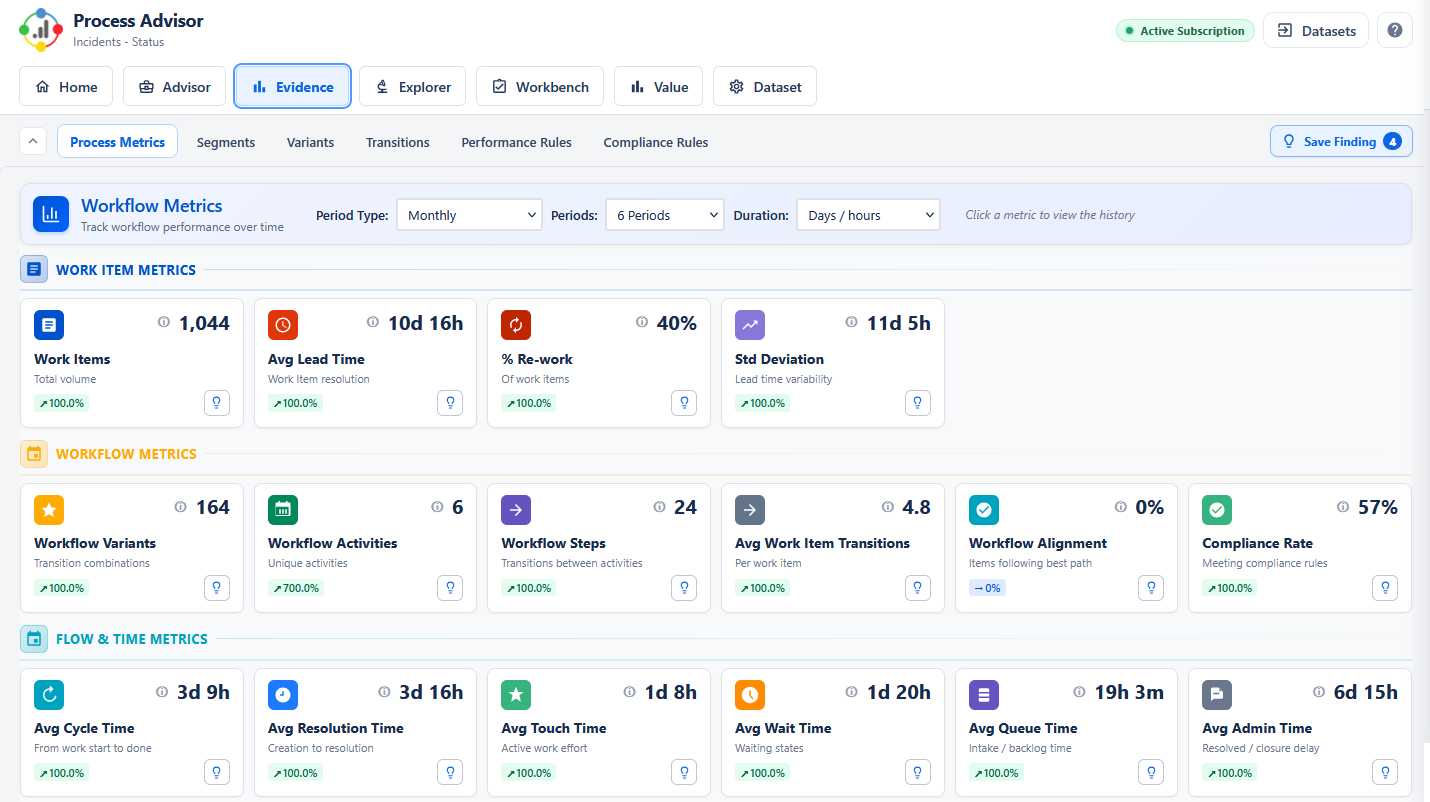
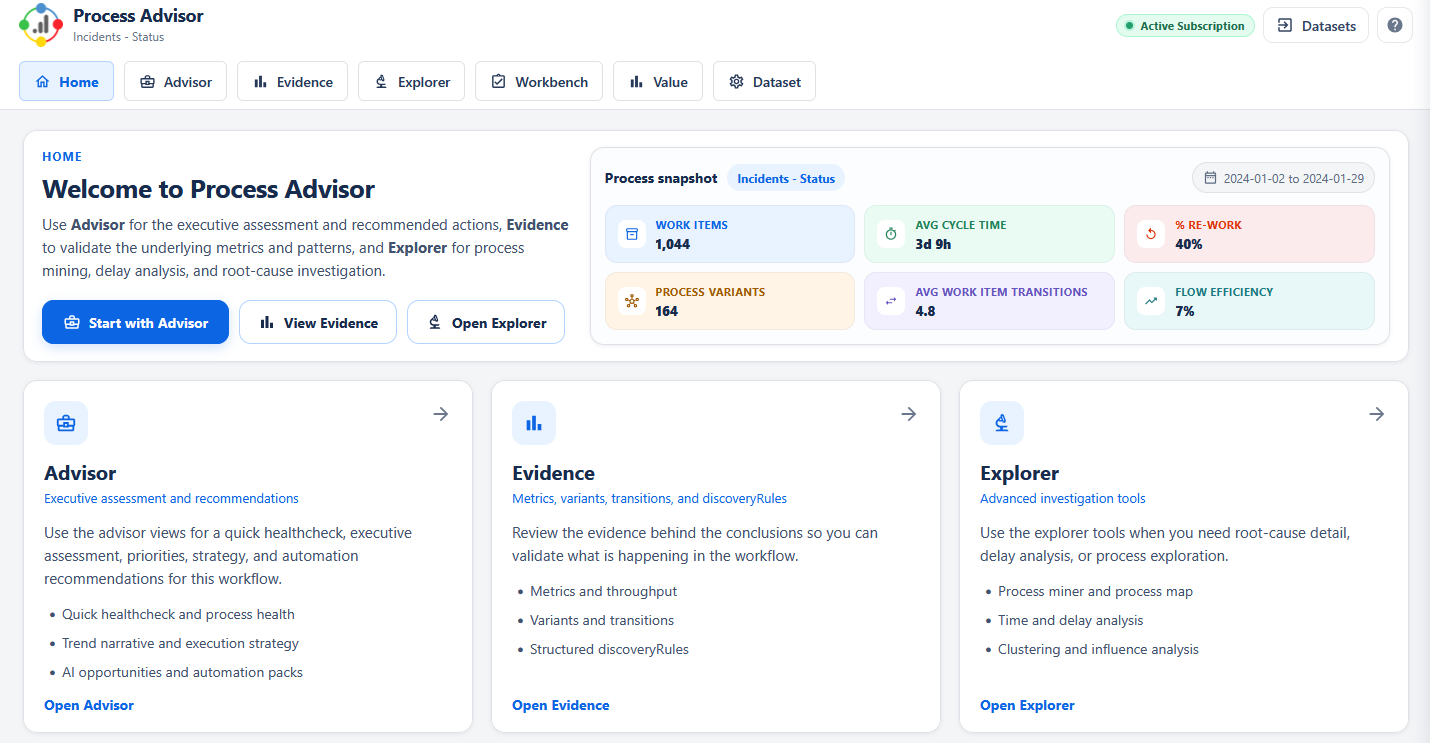
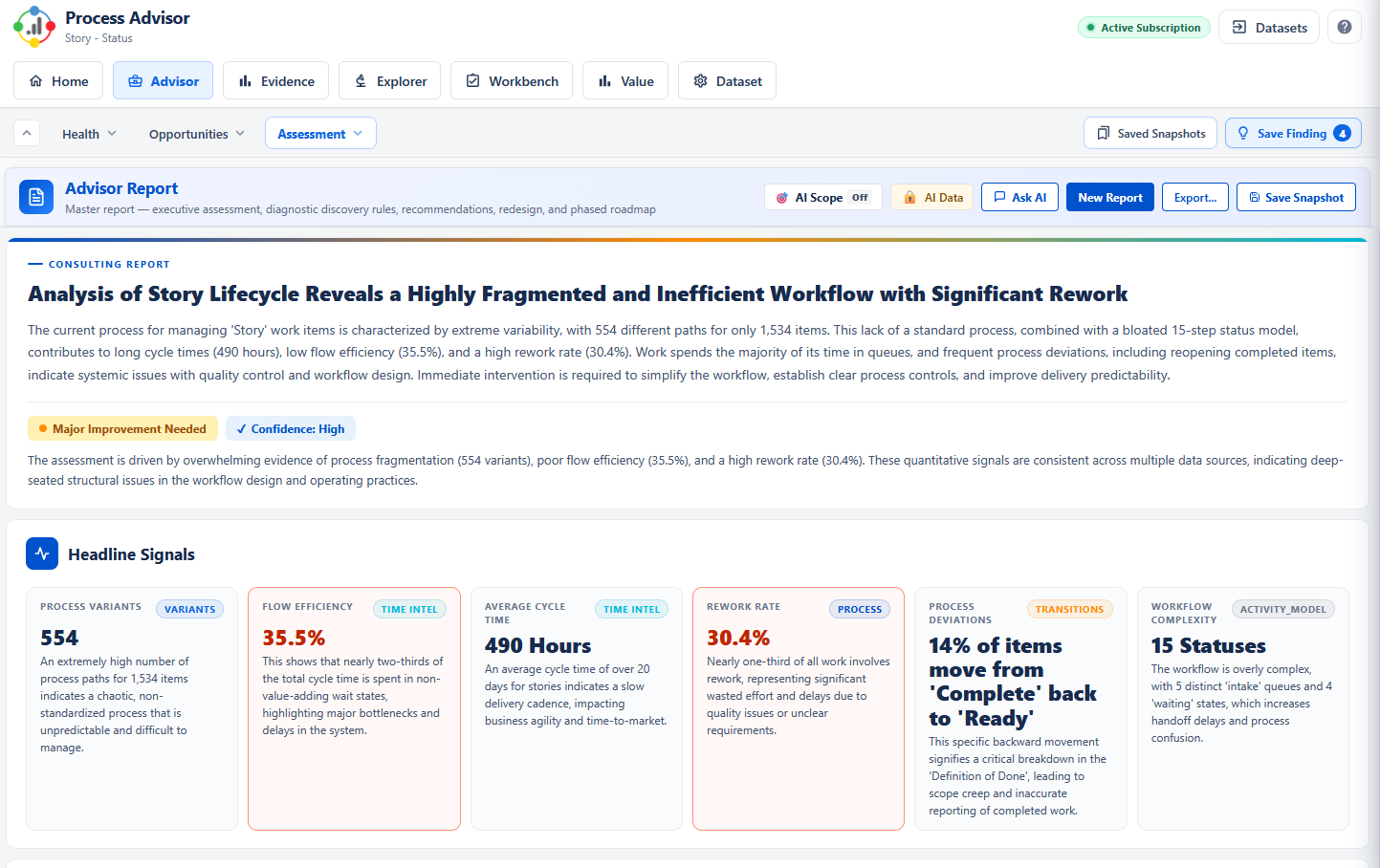
Built for ServiceNow, grounded in reality
Workflow reviews are slow, manual, and usually wrong about the root cause.
Teams run workshops, collect screenshots and compare opinions. They miss the actual routing, the hidden rework, and the real reason tickets are late. Then they automate the wrong thing and wonder why nothing improved.
Process mining + AI, not AI alone.
Most workflow AI tools guess. Process Advisor starts with the facts — your real ServiceNow workflow execution — and lets the AI reason from there. That's what makes the recommendations specific, defensible and practical.
From your ServiceNow workflow to a prioritised fix list — in five steps.
Install, connect a project, and Process Advisor does the rest. The output isn't a dashboard to interpret — it's a set of findings and recommendations you can act on immediately.
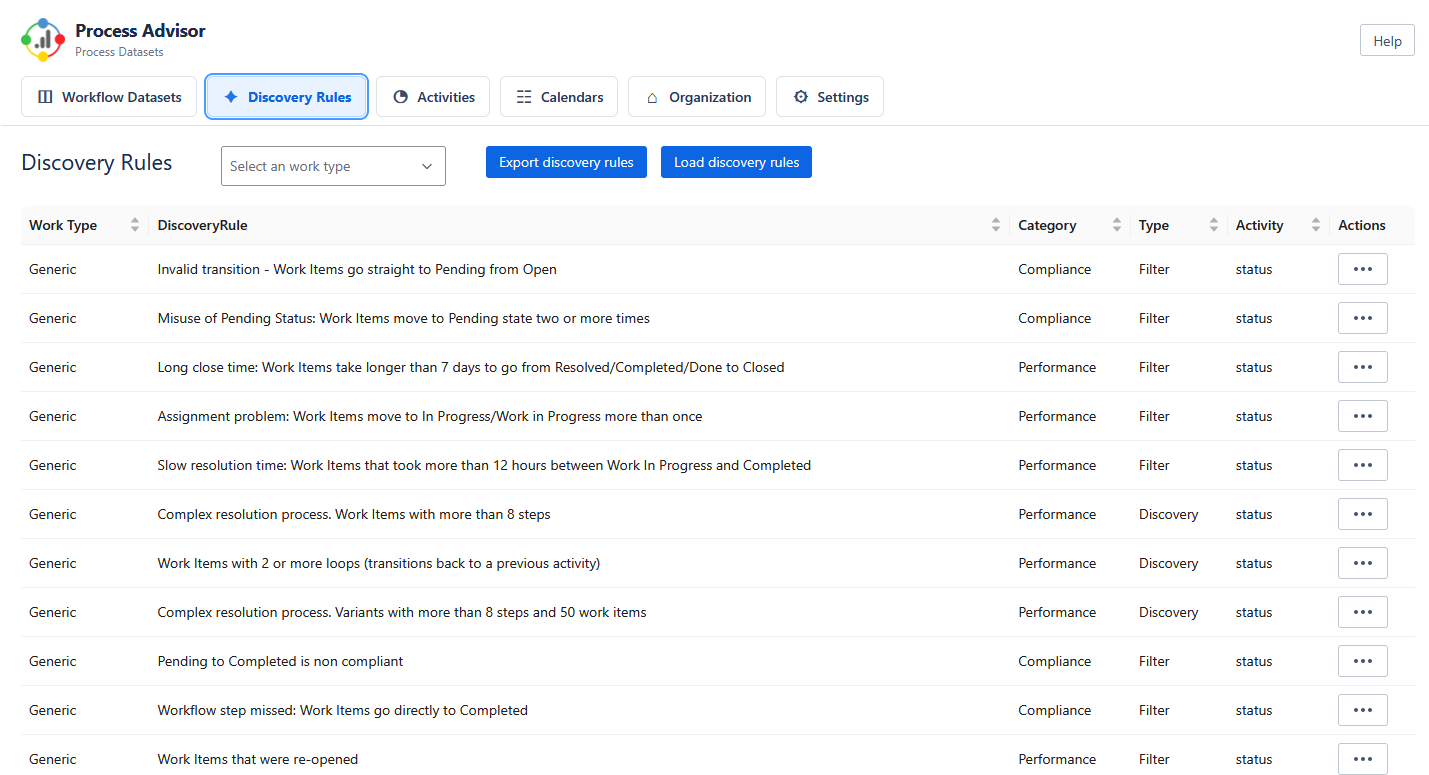
Connect your ServiceNow workflow
Configure the relevant ServiceNow workflow scope. Process Advisor analyses your actual task, incident, request, change or SLA history — no data export, no manual spreadsheet preparation.
See the real workflow
Interactive process map shows every path work actually takes, with frequencies, cycle times, rework rates and handoff delays.
Generate the AI advisor outputs
One click produces an Executive Assessment, Process Health report, Improvement Opportunities and Automation Packs — all grounded in your data.
Prioritise with confidence
Every recommendation is scored by impact and effort so you can lead with the changes that move the needle.
Export, present, implement
Share findings with stakeholders, use them in consulting readouts, or hand them straight to your ServiceNow team as an improvement backlog.
Four deliverables, ready to share.
These aren't dashboards you have to interpret. They're the artefacts a senior consultant would produce — written in business language, grounded in your data, and ready to put in front of a sponsor.
Executive Assessment
A leadership-ready summary of workflow health, where value is leaking, and what deserves attention first.
- One-page framing of bottlenecks, risk and service impact
- Written in business language, not platform jargon
- Ready for steering committees and sponsor conversations
Process Health Findings
A structured diagnostic covering workflow design, cycle times, rework, SLA pressure and compliance risk.
- Findings ranked by evidence strength and business impact
- Root-cause hypotheses linked to specific data patterns
- Clear separation of symptoms from causes
Improvement Opportunities
Prioritised recommendations across process design, policy, Jira configuration and operating model — with impact and effort scored.
- Quick wins separated from strategic redesigns
- Each recommendation tied to the evidence that produced it
- Configuration-level suggestions a ServiceNow team can action
Automation Packs
Where automation is the right answer, the app produces specific, implementable automation designs.
- Automation and operating-model patterns aligned to ServiceNow process improvement
- Based on actual workflow friction, not generic templates
- Implementation guidance, not just "consider automating X"
What a real recommendation looks like
On a support workflow of 4,200 tickets, Process Advisor identified a pattern the team hadn't seen:
Your ServiceNow data stays yours. Period.
Enterprise security teams care about this, and so do we. Process Advisor is built so that you can get the value of AI-guided analysis without giving up control of your data.
Process Advisor runs against your authorized ServiceNow environment. Your workflow data remains within your ServiceNow environment for normal app operation, with only the specific scoped and privacy-controlled AI step using selected evidence when you explicitly enable it.
We don't send ticket content, comments, descriptions, user names, email addresses, customer data or any PII to the AI. The AI sees workflow shape — state transitions, timings, frequencies — never the words inside your tickets.
Select specific projects. Exclude fields, statuses or date ranges. Turn off AI features entirely and use the process mining on its own. You're in control of every piece of data that enters an analysis.
We use enterprise API endpoints from major AI providers (Google Gemini, Anthropic Claude, OpenAI) — all configured so your data is never used for model training and is not retained for longer than the request itself.
Every analysis, every AI call, every model accessed — logged and visible. You can see exactly what was analyzed and when, and export the audit log for your compliance team.
Uninstall and all app data is removed. Want to clear specific analyses before that? One click. Nothing is retained on external servers beyond what's needed for the session.
Teams that need better workflow decisions, faster.
Internal improvement teams, independent consultants and ServiceNow teams and partners all use Process Advisor — each for a different reason, but all starting from the same evidence layer.
See where your ServiceNow workflows are leaking
Stop arguing about process in workshops. Bring data to the conversation, pick the right fixes, and ship changes your users actually feel.
- Replace anecdote with evidence in workflow debates
- Spot service and operational pain points before they escalate
- Back change initiatives with a defensible fact base
Deliver senior-grade analysis without the grind
Compress discovery, raise the quality of your findings, and put a polished deliverable in front of the client while your competitors are still pulling data.
- Cut discovery from weeks to days
- Win credibility with evidence-backed findings
- Open up follow-on redesign and automation work
Package a more valuable advisory offer
Standardise how you run service management assessments, sharpen your presales story, and create a clearer path from discovery into delivery revenue.
- A repeatable consulting offer your team can deliver consistently
- Differentiation from generic "optimisation" pitches
- Natural upsell into implementation and transformation work
From stuck workflows to a priority fix list — in under an hour.
Three reasons this pays for itself almost immediately.
Questions you're probably asking
How is this different from ServiceNow's built-in reporting?
Standard ServiceNow reporting tells you what happened. Process Advisor tells you why — which paths work actually follows, where rework happens, which transitions create delays, and what to do about it. Reports describe. Process Advisor diagnoses and recommends.
Is this just a dashboard?
No. The analytics matter, but the real value is the advisor output: written findings, prioritised recommendations and implementation guidance. You get the artefacts a consultant would produce, not a chart for you to interpret.
Do I need process mining expertise to use it?
No. Process Advisor is designed for Jira admins, service managers and consultants — not data scientists. The AI layer does the interpretation. You get plain-English findings and concrete next steps.
What data does it access, and is it safe?
It reads workflow history from the records you authorize — nothing more. Selected evidence can be excluded or anonymized before AI is used. Full details are in the Data privacy section above.
Which AI model is used? Can I choose?
Yes. Process Advisor supports Google Gemini, Anthropic Claude and OpenAI GPT models. You can pick the provider that matches your organisation's approved AI vendor list, or run without AI and use the process mining on its own.
Is automation the main point of the product?
No. Automation is one output path. The broader job is diagnosing what's actually wrong, redesigning where that's the right answer, and using automation only where it genuinely helps. Process Advisor is explicit about which is which.
How do I trial it, and what does it cost?
The ServiceNow version is available through direct engagement while store availability progresses. See pricing or book a 20-minute walkthrough if you'd like us to step through it on your own workflows.
See Process Advisor for ServiceNow on your own workflows.
Book a short walkthrough and we'll step through Process Advisor for ServiceNow using a representative workflow. Direct partner and customer access options are available while store availability progresses.
Also available for Jira — see the Jira landing page →